Meshcrease
Sharpens the edges of selected mesh subobjects.
1. Type MESHCREASE at the command prompt
Command: meshcrease
Select mesh objects to crease: select objects
Specify crease value [Always]<Always>: ENTER
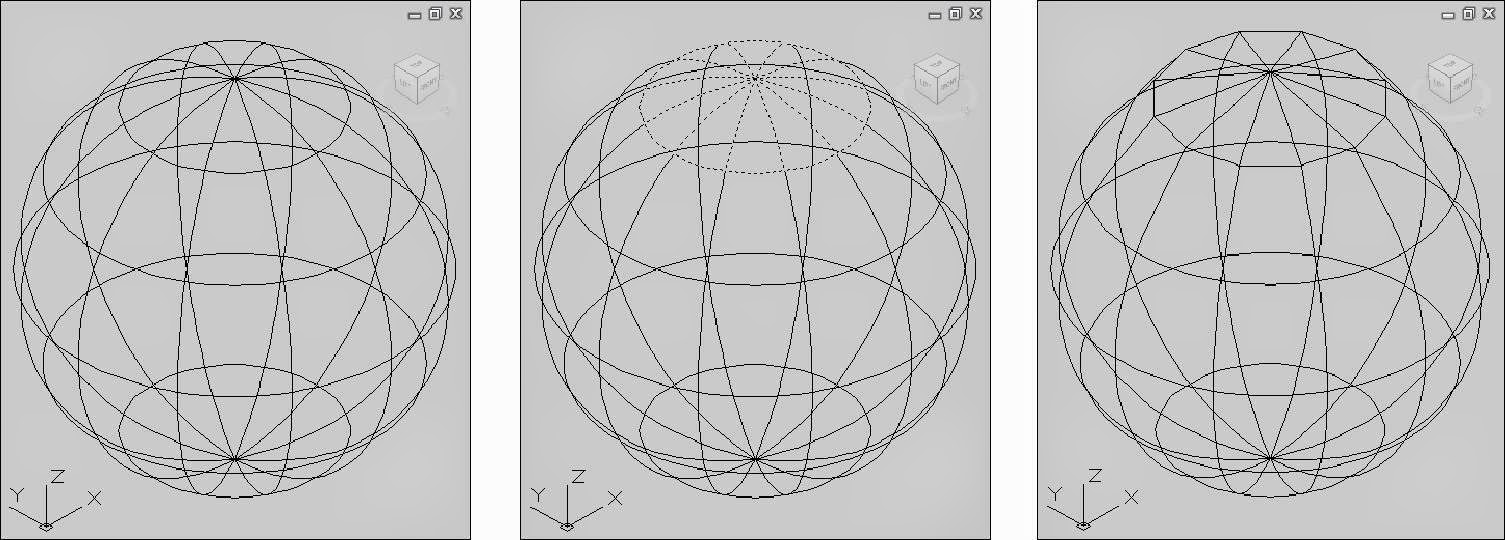
Before crease Selected objects After crease
TIPS:
Crease Value:
Sets highest smoothing level at which the crease is retained. If the smoothing level exceeds this value, the crease is also smoothed. Enter a value of '0' to remove an existing crease.
Always:
Specifies that the crease is always retained, even if the object or subobject is smoothed or refined. A crease value of -1 is the same as always.
Meshuncrease
Removes the crease from selected mesh faces, edges, or vertices.
1. Type MESHUNCREASE at the command prompt
Command: meshuncrease
Select crease to remove: select objects
Select crease to remove: ENTER
Before uncrease Selected objects After uncrease
